After spending thousands of dollars transforming your Tesla with a custom satin black, nardo grey, or metallic rose gold vinyl wrap, getting into the driver’s seat and seeing a generic factory-painted white or silver car on your touchscreen display feels jarring.
Fortunately, Tesla’s built-in infotainment software features a native feature called Colorizer. Located inside the Toybox menu, this tool allows you to alter the digital rendering of your vehicle on the center touchscreen and inside the Tesla Mobile App to match your real-world vinyl wrap. Below is the step-by-step tutorial explaining how to adjust hues, select metallic or matte finishes, and achieve color consistency.
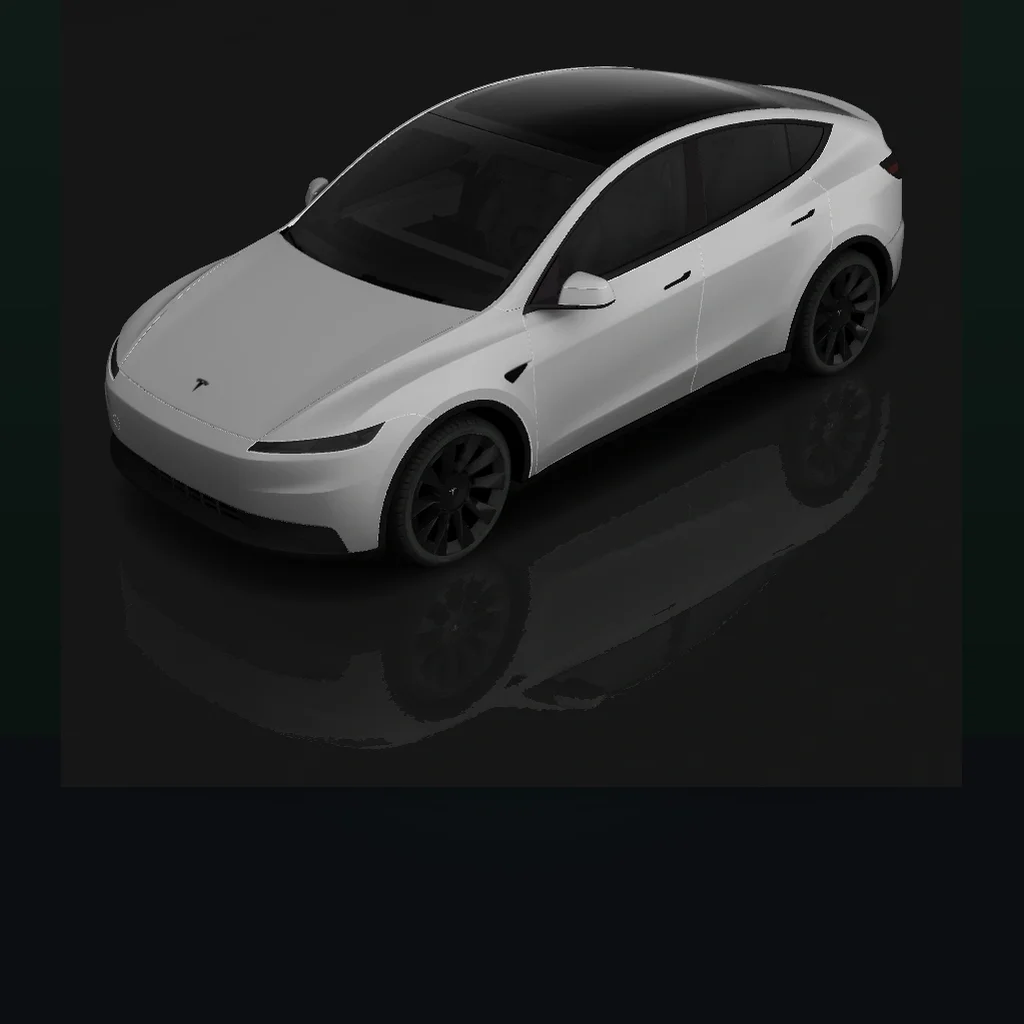
Tesla’s native Colorizer tool allows owners to calibrate hue, saturation, and finish sheen on the center touchscreen display.
Step-by-Step: How to Change Your Tesla Color on Screen
Activating the digital colorizer requires no third-party hardware or software modifications. Follow this sequence directly on your center display:
- Park Your Vehicle: Ensure your Tesla is in Park (P) with the vehicle awake.
- Open the Application Launcher: Tap the three horizontal dots (…) or the App Launcher icon at the bottom of the center touchscreen.
- Navigate to Toybox: Tap the Toybox icon (represented by an arcade joystick or present box icon).
- Select Colorizer: Scroll horizontally through the Toybox drawer and tap the Colorizer app card.
- Calibrate Your Color: Use the interactive color gradient wheel or hue slider to match your physical wrap shade.
- Select Surface Finish: Toggle between Solid, Metallic, or Matte sheen options at the bottom of the panel.
- Save Settings: Tap Save to lock in your digital paint. The vehicle rendering on your driving visualization display and inside your Tesla smartphone app will update instantly.
Matching Real-World Vinyl Finishes to MCU Digital Shaders
The Tesla Colorizer provides three distinct shader models to match the optical reflection profile of aftermarket films:
| Digital Finish Option in MCU | Optical Reflection Profile | Best Matched Physical Vinyl Wrap Series | Recommended Screen Adjustments |
|---|---|---|---|
| Solid | High-contrast gloss without metallic flake sparkle | Non-metallic gloss vinyl (Avery Gloss White, Nardo Grey) | Keep saturation centered; avoid extreme chroma spikes |
| Metallic | Dynamic specular highlights with micro-flake glitter | Metallic cast vinyl (3M Gloss Liquid Copper, Gloss Anthracite) | Slide metallic luster toggle to 80% for authentic depth |
| Matte | Diffused velvet lighting with zero sharp highlights | Satin and matte vinyl (Satin Black, Matte Military Green) | Pull saturation down slightly to mimic anti-glare vinyl |
What the In-Car Colorizer Can and Cannot Do
While the Toybox Colorizer is a fantastic free feature, understanding its software limitations prevents frustration:
Capabilities Supported by Tesla Software:
- Instant System Sync: Changing the color updates the 3D car avatar across the instrument cluster, driving visualization lane display, and mobile app home screen.
- Hexadecimal Precision: Advanced software updates permit entering exact hex color codes or RGB sliders to match popular film swatches like 3M 2080-M12 (Matte Black).
- Zero Cost: The feature is completely free and requires no premium connectivity subscription.
Current Software Limitations:
- Single-Tone Only: The factory Colorizer applies a single uniform color across the entire digital vehicle. It cannot simulate two-tone floating black roofs, carbon fiber mirror caps, or pillar deletes.
- No Decals or Liveries: If your car features custom anime graphics, racing stripes, or camouflage patterns, the in-car system cannot render custom texture maps.
- Wheel and Caliper Restrictions: In most software builds, wheel styles remain tied to your factory configuration and do not change color alongside the body panels.
Designing Complex Multi-Tone Schemes with 3D Tools
If you plan a complex multi-tone wrap—such as pairing an ultra-red body with a satin black roof, yellow brake calipers, and custom geometric door decals—the native in-car screen cannot help you preview the combination.
This is where TeslaWrap3D fills the gap. Our online 3D design studio gives you independent panel-by-panel paint control, decal uploads, and AI-generated livery tools on accurate Model 3, Model Y, Model S, Model X, and Cybertruck meshes. For complex graphical themes, check out our guide on Tesla Avatar wraps and custom AI liveries.
Ready to design your full visual concept? Preview Your Custom Tesla Wrap in Real-Time 3D right in your web browser.
Related Guides and Reading
- Tesla Avatar Wraps and Custom Liveries: 3D and AI Design — How to create sci-fi bioluminescent themes and custom liveries using 3D visualizers.
- Best Tesla Wrap Colors: Top Trends, Finishes and 3D Preview — Popular satin black, nardo grey, rose gold, and chameleon wrap trends.
- How Much Does It Cost to Wrap a Tesla in 2026? — Comprehensive price breakdown covering vinyl materials, labor hours, and shop fees.
- Tesla Cybertruck Wrap Colors, Costs and Materials Guide — Stainless steel prep, color options, and full visualizer tips for Cybertruck owners.
- Can You Wrap a Leased Tesla? Rules and Removal Guide — Everything you need to know about Tesla Finance lease agreements.